How I rebuilt The Tours app: stack and workflow
I rebuilt The Tours from scratch in eight months and 583 hours — app and backend. Figma, Storybook, Cursor and structured user stories, including the parts that did not work.
The Tours solves one problem: finding good motorcycle roads, wherever you happen to be. Routes get AI-generated context where context helps. Over the last eight months I rebuilt the whole thing — the app and the backend — and the point of this piece is the workflow, not the app.
The stack
| Layer | Tool |
|---|---|
| Development | Cursor |
| Backend | Strapi |
| Mobile app | React Native |
| UI development | Storybook |
| Design | Figma |
| AI support | Claude / GPT |
The individual picks matter less than how they connect. What made this work is that every feature travels the same documented path, from first idea to shipped screen. Six steps.
Step 1: Design and design tokens
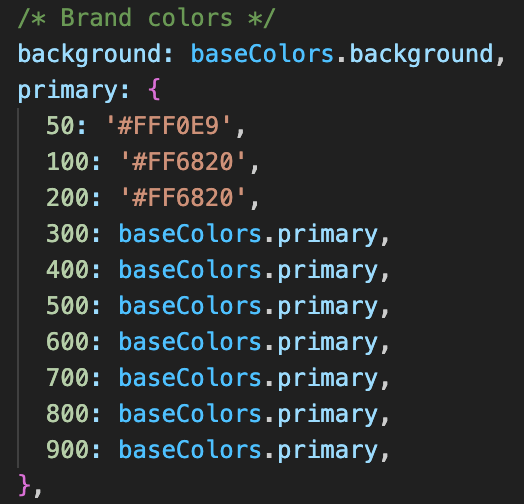
The Figma designs came before any app code, and the design tokens went into code at the same time: colours, spacing, border radius, shadows, all as named values.
That pays off the moment Cursor works from a Figma screen in Plan mode. It reads the tokens directly instead of pulling hex values out of a design, so the implementation stays close to the original without me copying numbers by hand.
Step 2: A component library in Storybook
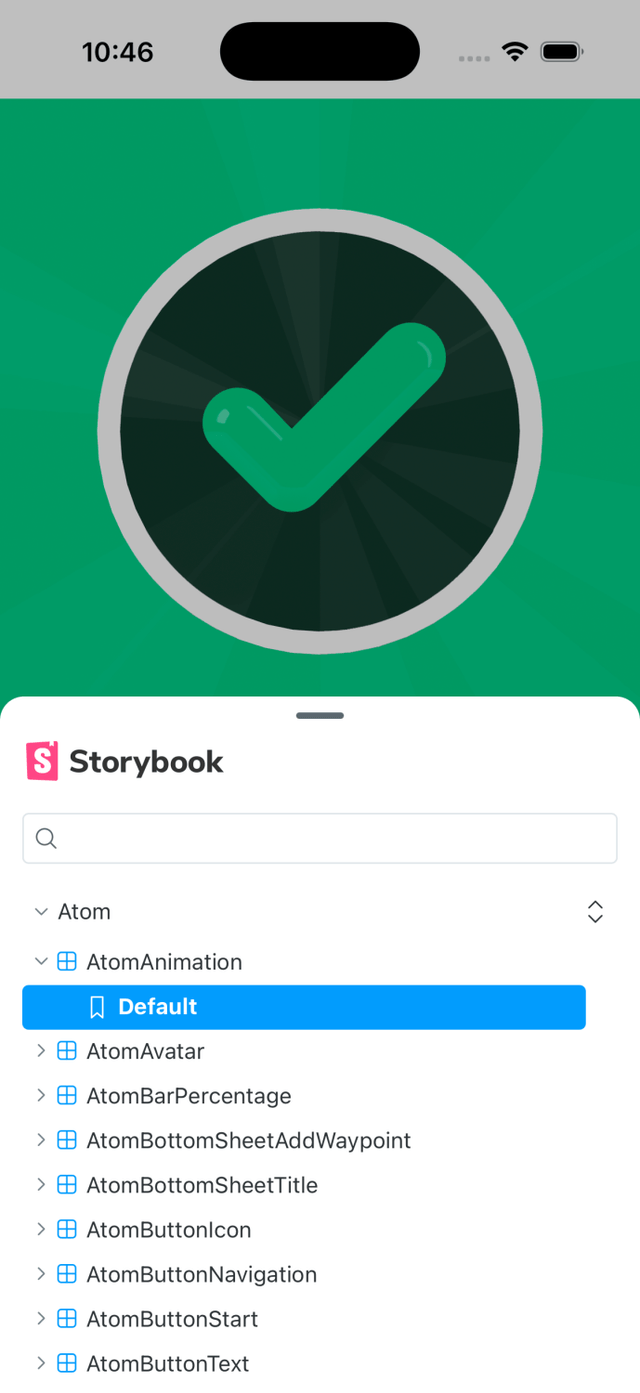
From the Figma screens I built isolated, documented component stories in Storybook, again in Plan mode. That library then became the reference for every feature after it — it is how Cursor knows which component already exists instead of inventing a fourth button.
Step 3: Generating user stories
I had the AI write the user stories from the Figma screens. Three things made the difference:
- Work through a whole epic at once. Eight to ten stories in one pass, not one story at a time.
- Give it an explicit structure. The same template every time.
- Make it ask first. Have it ask clarifying questions before it generates anything, instead of guessing.
That last one is the big one. It typically came back with around 50 questions. Answering them up front raised the quality of the stories noticeably.
The template:
As a XXX I want XXX so that XXX

Acceptance Criteria
Description / Context
Definition of Done
Dependencies
Technical Notes
I reviewed every generated story and added or cut acceptance criteria, but most of it was right on the first pass. A lot of the requirements can be derived from the screen itself, so what I mostly added were the requirements you cannot see in a design. Writing these stories by hand would have taken noticeably longer.
Step 4: Development in Cursor
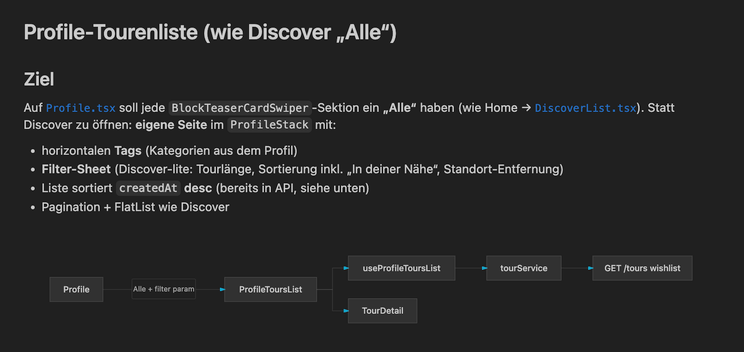
Per feature, Cursor got three inputs: the user story, the relevant Figma screen, and — for features that are pure logic with no new UI — the Storybook file instead of the screen, so it was clear which components to use.
Cursor rules
Rule files kept the guidelines consistent across features. That worked well for the app and much less well for the backend. Large rule files in the backend were actively counterproductive; the fix was keeping them deliberately minimal. My guess is that Strapi's own prescribed structure pulled the model away from the actual task.
Splitting the work
Cursor did most of the work. I did the small styling corrections by hand. The code stayed visible the whole time, which is what let me review and adjust as it went rather than after.
Step 5: Backend and the seam to the frontend
Whenever Strapi got a new endpoint, a .md file documenting it was written at the same time. That
documentation then went into the next plan alongside the user story and the Figma screen, so the
shape of the endpoint was clear from the first line of frontend code instead of being discovered
halfway through.
Step 6: Testing
Honestly: still mostly manual, and I want to automate more of it.
What exists today: visual regression tests through Storybook and Maestro, unit tests in the backend with Jest, and a manual pass over every screen before each release.
What changed
Eight months, 583 development hours for the build — design hours are separate.
| Metric | Frontend | Backend |
|---|---|---|
| Commits | 611 | 139 |
| Lines of code | ~378,000 | ~221,900 |
| Merge requests (est.) | ~90 | ~14 |
For the same scope, I would put this at roughly three to four times faster. But the time moved rather than disappeared: far more of it went into defining features and testing them, because producing the code itself takes seconds to minutes. What took longest was defining the base structure and the library cleanly, plus the genuinely interactive pieces like the mapping.
Conclusion
I would do it this way again. You get to something usable fast.
The one habit worth stealing: when the AI goes off in the wrong direction, close the chat, stash the changes, and start over with what you just learned. That beats trying to argue a stuck session back on track.
And the thing that actually decided the outcome was not the AI. It was the structure around it — design tokens, a clean component library, structured user stories, and a foundation of rules.