Notes

Short posts from building: a tool that saved me time, a decision I had to reverse, a number that surprised me. One per week, roughly.

BUILDING WITH AI

My newest speed setup

My setup changed a bit. I now work with Claude Code in VS Code, and probably my newest discovery is Superpowers. I mostly use the writing-plans skill and then let it develop subagent-driven in separate worktrees. That way three to four tickets get coded in parallel. It uses a lot of tokens, but I find the output really promising.

To keep the UI consistent, I rely on Storybook and run visual regression tests. On top of that, the CLAUDE.md states that every new component must have a story. This works quite well for me and helps me avoid unintended UI changes.
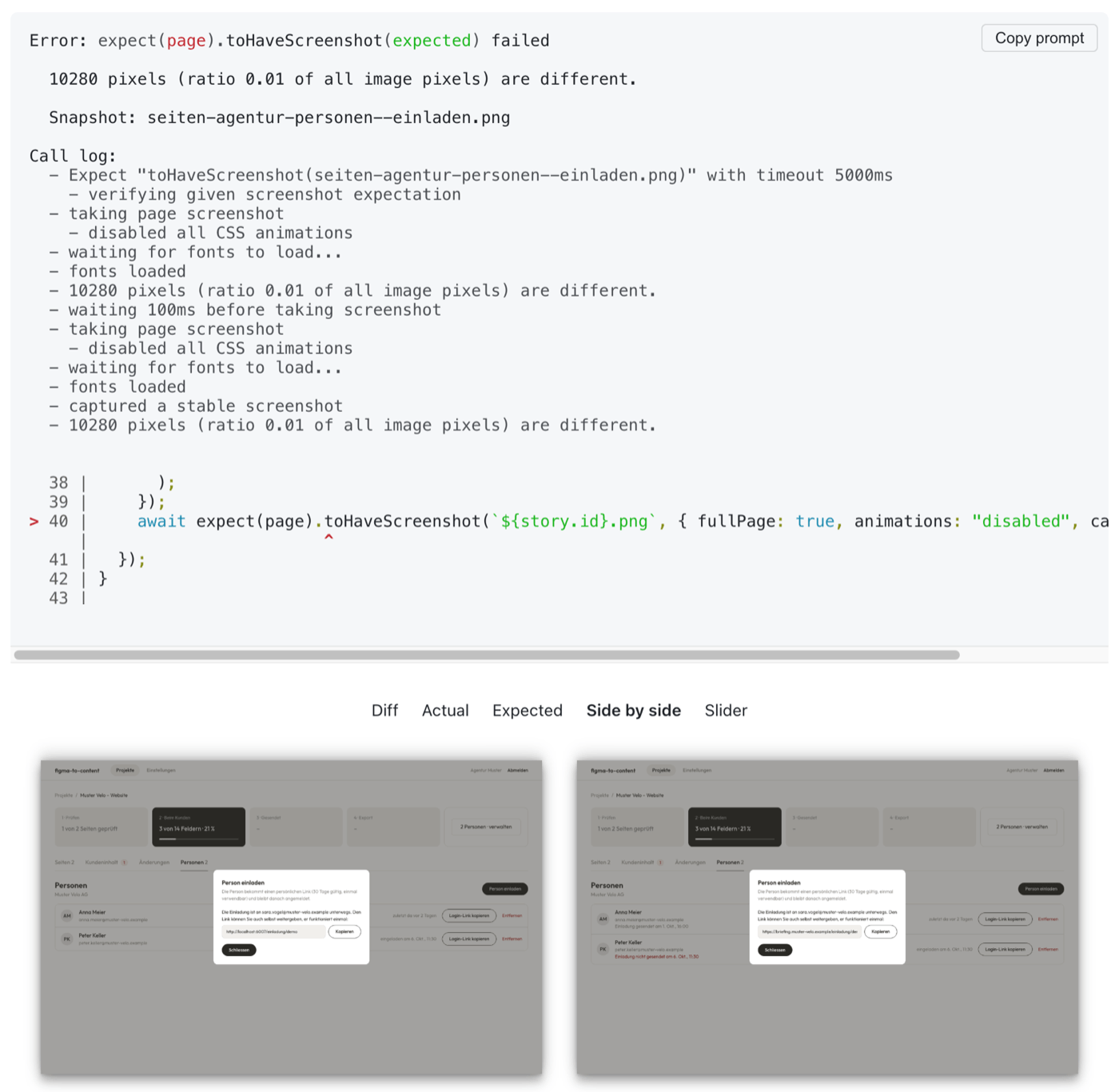
A failed Playwright toHaveScreenshot check: 0.01 of the pixels differ, with the actual and expected screenshots of an invite dialog side by side
A visual regression test catching a change in a story before it ships.

I first created the wireframes in Claude Design, based on the specs I had at the start of the project. Once that was sorted, I had a small, simple design system created — it lives in Storybook too, along with the design tokens. New components are now built directly in Claude Code using the tokens that are available.
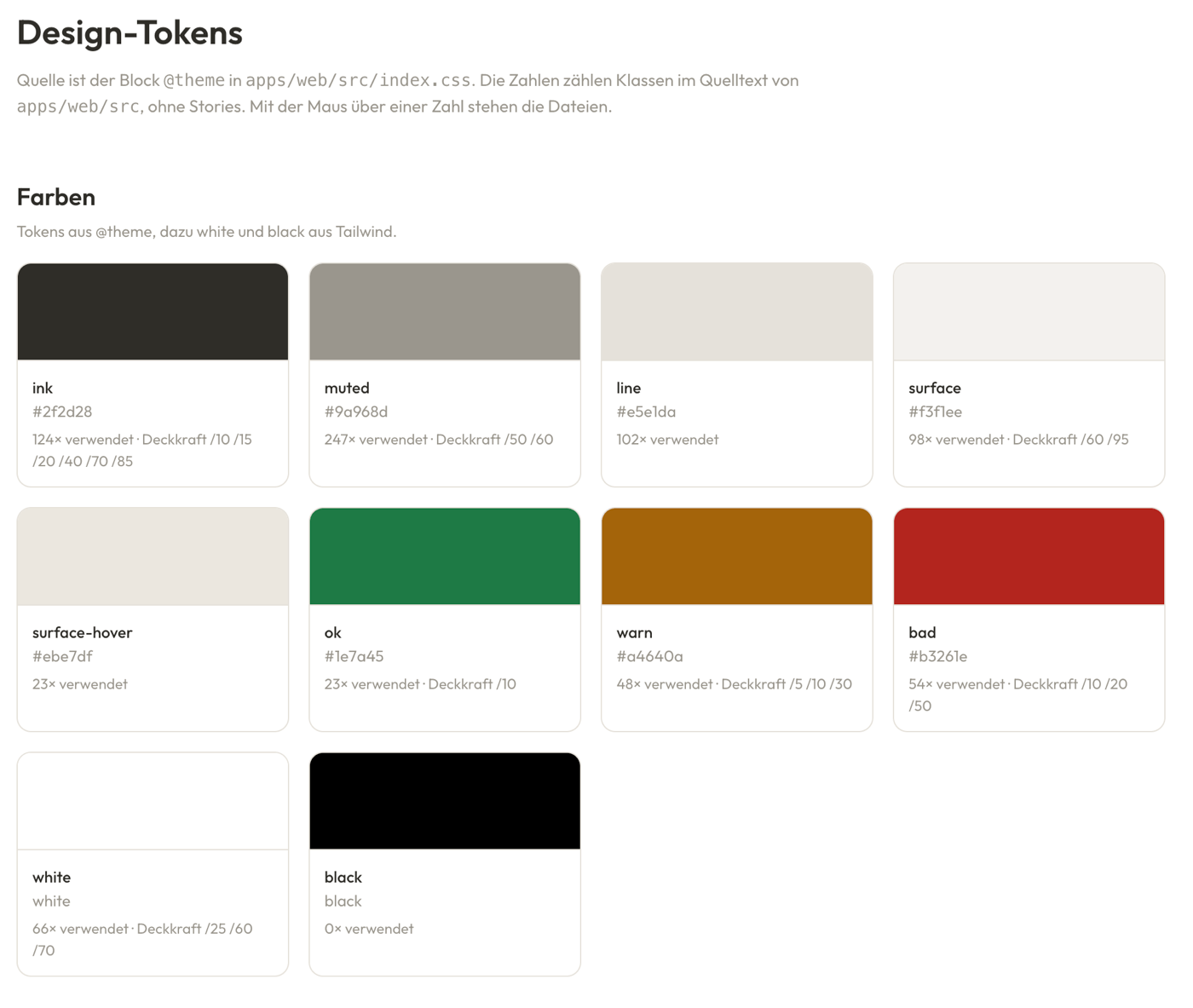
The design tokens page in Storybook: colour swatches for ink, muted, line, surface, surface-hover, ok, warn, bad, white and black, each with its hex value and usage count
The colour tokens in Storybook, with how often each one is used.
BUILDING WITH AI · TOOL

The MCPs I use every day

A short list of the MCP servers I use day to day, and why.

Playwright. Originally a tool for end-to-end testing in the frontend. But when the AI controls it, it gets a fully working browser that runs JavaScript. The cool part: if something is repetitive, the AI can just write a Playwright script instead of clicking through the whole flow by hand. That makes it way faster than using, for example, the Claude browser. Playwright MCP

Notion. Pretty straightforward: Notion is my second brain and Claude is my sparring partner. As soon as Claude and I agree on something, Claude writes it to a Notion page. Notion MCP

Google Calendar. Really cool in combination with Notion and Playwright. Say you need a set of appointments from a website and don't want to add them by hand: Claude first crawls them with Playwright and then adds them to your calendar with a description. Google Calendar MCP

Linear. Linear is a ticketing tool. I use the MCP during planning, or to give Claude Code the context of a ticket. Linear MCP

Mixpanel. Mixpanel is an analytics tool that works for web and mobile apps, and The Tours has it implemented. To find out how things are going, I just ask Claude, which looks it up in Mixpanel. It can also build dedicated views, so if we decide we need to watch a certain behavior, Claude builds one. Mixpanel MCP

BUILDING WITH AI · TOOL

Visualize a process with an HTML file

If you have a complex pipeline inside your application it helps to visualize it to find unintended behavior. So at the end of a build I ask the AI to draw the process for me as an interactive HTML file. The prompt is straightforward.

Visualize for me the process A with an interactive html file.
Show what data is coming inside the process, what is happening during
the process and what is the output.

You get one throwaway file that shows what goes into each step, what happens inside it and what comes out — and the step that does something you did not expect is usually obvious within a minute. Here is what it produced for the Matchmaker in The Tours.

Set a request at the top, then walk the stages — every number below is computed with the pipeline's own formulas.Open in a new tab